

"Survey Everywhere makes it so much easier to see our results and tell the story behind the data. It’s simple and straightforward. Survey Everywhere will be a game changer for our company as a whole."

Standardize every course in one setup
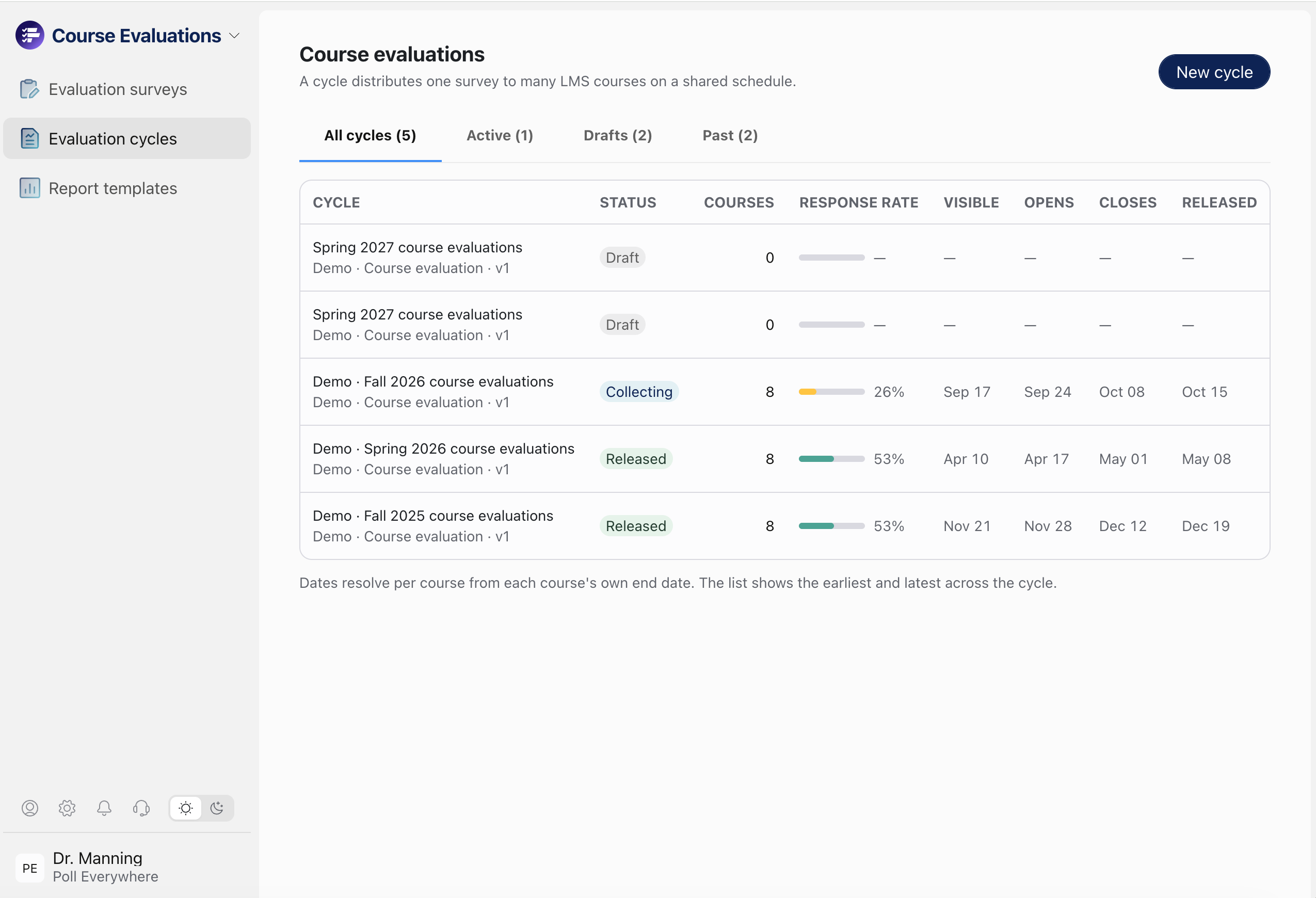
Create an evaluation cycle, choose the term, and pick which schools or colleges it covers. Survey Everywhere pulls in every matching course from your LMS. Courses added later in the term join the cycle on their own, so nobody has to re-send anything.
One standard, with room for exceptions.
Use one institution-wide instrument, or give each college its own survey with shared core questions.
Dates that set themselves.
One anchor date, usually the course end date, sets the open, close and reminder dates for every course. Admins only adjust the exceptions.
The right results to the right people
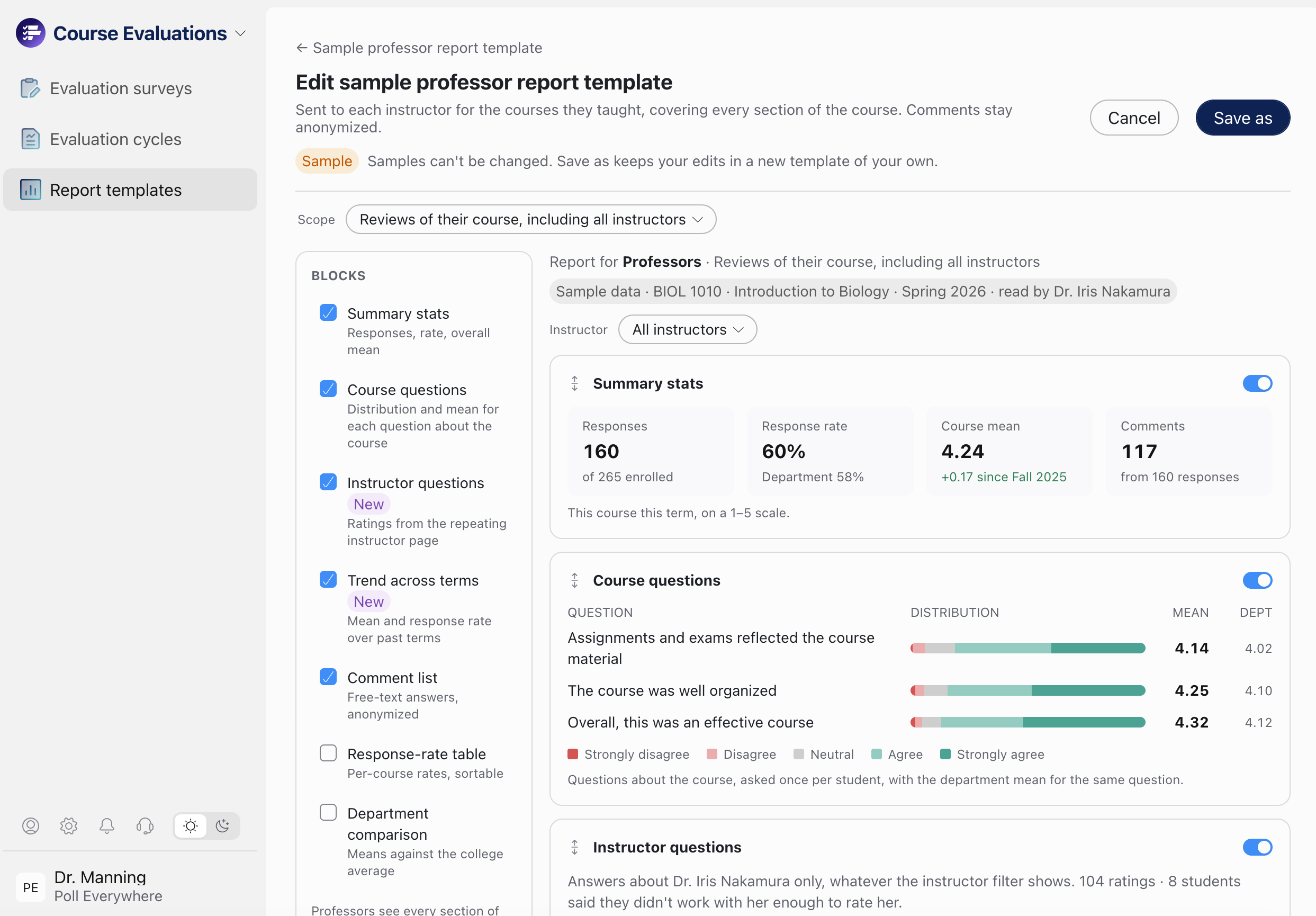
Choose exactly who sees what. Instructors see their own sections. Chairs see their department. Deans and provosts see trends across the school. Reports are easy to build inside the app, so most questions get answered without opening a spreadsheet.
A report built for each role.
Start from professor, dean, and admin templates, then turn sections on or off. Each reader gets their own scope and nothing more.
See trends across terms.
Every question is tracked term over term, next to the department average. When a course gets redesigned or a gets new instructor you can see whether the scores moved.
Evaluations where students already are
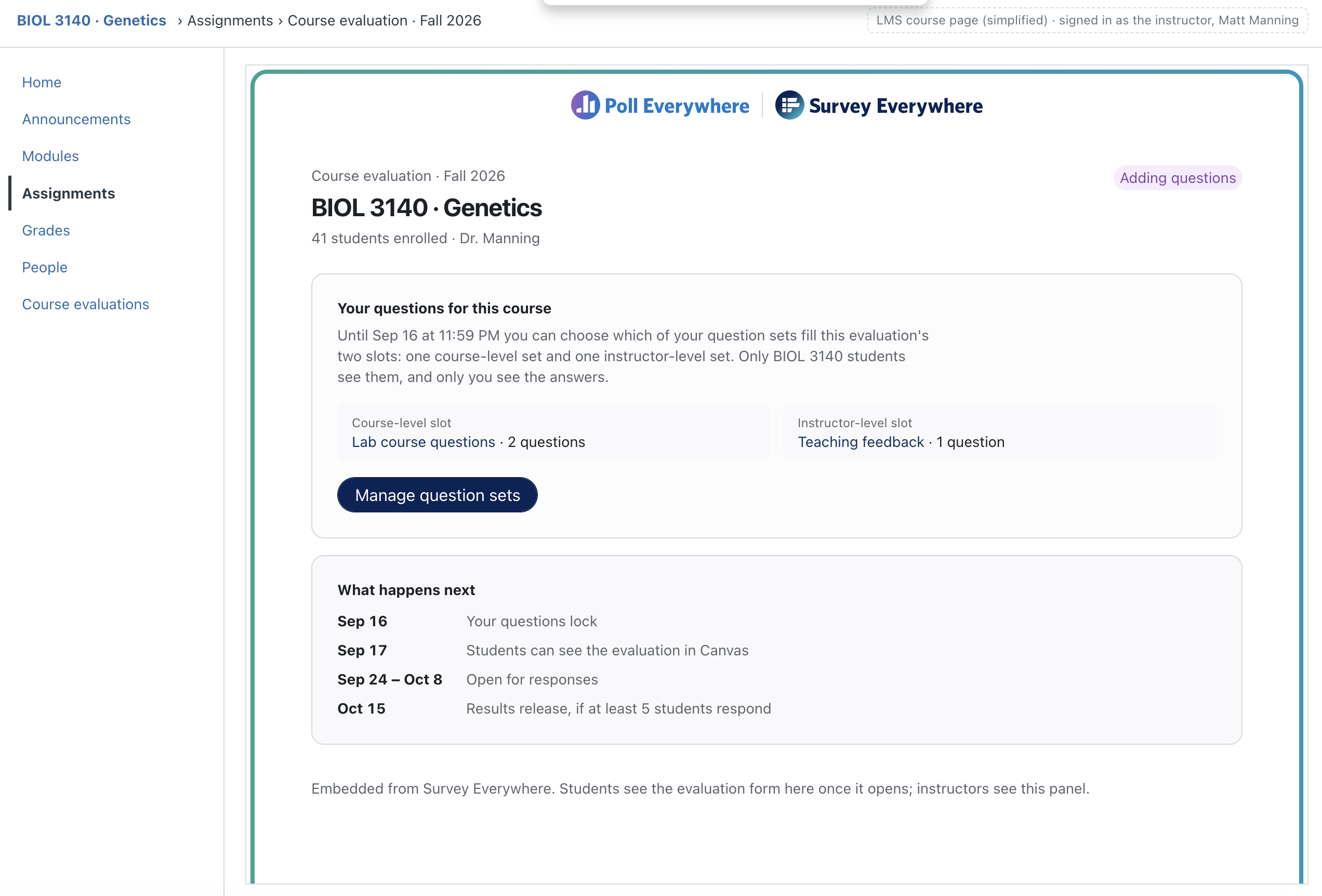
Students find their evaluations inside their LMS, not behind a link in an email. Offered in a WCAG 2.2 AA format from the only course evaluation tool that's both Canvas Certified and Recommended by Instructure.
In every course, automatically.
Students complete evaluations inside the LMS they're already signed into. A Course Evaluations link appears in each course's navigation.
Reminders that gently nudge
Reminders go only to students who haven't finished, on the schedule you set, and lead straight back to the LMS. Once a student completes, the reminders stop.